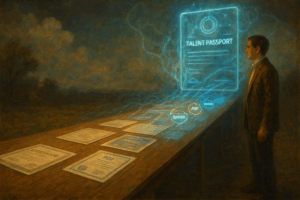
What Kinds of Evidence Can I Add to TalentPass?
A Guide to Photos, Certificates, Documents & More**
One of the most powerful features of TalentPass is the ability to attach evidence to your experiences, skills, and achievements. Evidence helps you:
- show your work
- strengthen your stories
- store important documents
- prove your abilities
- prepare for future Passport Page verification
- keep everything in one place
But new users often ask:
- “What counts as evidence?”
- “Does it need to be formal?”
- “Can I upload images?”
- “What if I don’t have proof?”
- “How do I add something that isn’t a digital credential yet?”
This post answers all of those questions and gives you a clear guide to everything you can upload in TalentPass today.
First: What Is Evidence?
Simple definition:
Evidence is anything that shows or supports something you did.
It can be formal or informal.
Digital or physical.
Professional or personal.
If it helps paint a clearer picture of an experience or achievement, it counts.
1. Photos (One of the Best & Easiest Types of Evidence)
Photos are incredibly powerful because they instantly communicate:
- what you built
- where you worked
- equipment you used
- events you organized
- environments you worked in
- projects or products you created
- certificates you received
- hands-on work you completed
Good examples:
- you repairing equipment
- you presenting or performing
- your workspace or setup
- screenshots of completed work
- a physical certificate held in your hand
- a project “before and after”
- a team photo with context
Photos often tell a story better than text — and anyone can add them.
2. Documents (PDFs, Word files, reports, worksheets)
Documents show depth and detail behind your skills.
You can add:
- project files
- written assignments
- reports you created
- presentations or slides
- writing samples
- spreadsheets
- data work
- lesson plans
- proposals or plans
- documentation you produced
If it’s something you created or worked on, it belongs in your TalentPass.
3. Certificates (Paper, Digital, Scanned, or Screenshotted)
Any kind of certificate counts — even if it’s not from a major platform.
Examples:
- training certificates
- safety certifications
- workshop completions
- awards
- digital certificates (PNG/JPG/PDF)
- screenshots from your learning platform
- paper certificates (just take a photo)
- course completion confirmations
For providers like Credly or Credible, you can:
- screenshot your badge
- screenshot your wallet
- download the certificate file
- upload the PDF or image
- paste the link as evidence
We will have entire FAQ posts dedicated to these pathways, but for now:
If you have it, you can add it.
4. Transcripts & Academic Records
You can upload:
- unofficial transcripts
- screenshots of grades
- reports from training programs
- GED documentation
- attendance records
- completion notices
These help showcase learning, even from nontraditional sources.
5. Links (URLs as Evidence)
TalentPass supports links to:
- portfolios
- GitHub repositories
- published work
- articles
- videos
- personal websites
- LinkedIn posts
- online projects
- digital badges
- Credly or Credible public pages
- course completion pages
Links help employers explore further if they want.
6. Audio & Video
If you have:
- recorded presentations
- music or performance
- tutorial videos
- clips of your work
- training footage
- interviews
- demonstrations
…these are excellent evidence items.
You can upload the media directly or host it somewhere and share the link.
7. Screenshots of Software, Tools, or Platforms You Used
People often forget how strong these are.
Examples:
- time tracking or point-of-sale systems
- project management boards
- classroom or LMS dashboards
- creative tools or editing software
- code editor screenshots
- analytics dashboards
- “published” indicators from school or work platforms
They visually show skills in action.
8. Letters, Emails, or Notes (With Sensitive Info Removed)
If you have:
- thank-you emails
- positive feedback
- recommendation letters
- recognition from peers or teachers
- confirmation messages
- achievement notifications
…they absolutely count.
You can remove names or personal info — TalentPass doesn’t require identifiable details.
9. Anything Tangible You Can Photograph
TalentPass supports “evidence by image,” so:
- a sculpture
- a project
- a poster you designed
- a restored object
- a repaired item
- an award
- a physical product you built
- handwritten notes
- a classroom display
- equipment you operated
…can all be photographed and added immediately.
What If I Don’t Have Any Evidence?
No problem.
Evidence is optional, and TalentPass will never block you from adding a story or experience.
Many stories don’t need evidence.
Your experiences still matter.
You can always add evidence later as you find things or create new work.
Why Evidence Matters So Much
Evidence:
- strengthens your stories
- makes your resume more credible
- helps employers trust your skills
- supports verification later through Passport Pages
- preserves a record of your growth
- gives you something to look back on during interviews
- evolves with your career
As we introduce:
- direct credential claiming
- Passport Page verification
- organizational feedback
- job matching
- pathway recommendations
…your evidence becomes even more important.
It’s your personal archive of capability.
Final Takeaway
TalentPass accepts a wide range of evidence because your life and work don’t fit into one format.
If it:
- shows
- supports
- represents
- or demonstrates
…something you did — it counts.
Upload what you have now, add more over time, and let your TalentPass grow with you.