

For Job Seekers

Help employers see what you can bring.

Your job titles and résumé don’t tell your whole story. TalentPass helps you show the experience, skills, and accomplishments that matter for the work you want.

Build a profile with your AI guide, Pythia, tailor it to an opportunity, and share it alongside your application.

Available in public beta. See current product availability.

Home / For People / For Job Seekers

You know you have something to offer. Explaining it can be harder.

Your résumé leaves things out.

A short summary can miss the projects, responsibilities, and real examples that show what you can do.

Your experience doesn’t match the job title.

Skills developed in another industry, through learning, or outside paid work can be difficult to translate for an employer.

Every application asks you to start again.

You keep rewriting the same history to explain why it matters for a different role.

Give your application a fuller picture of you.

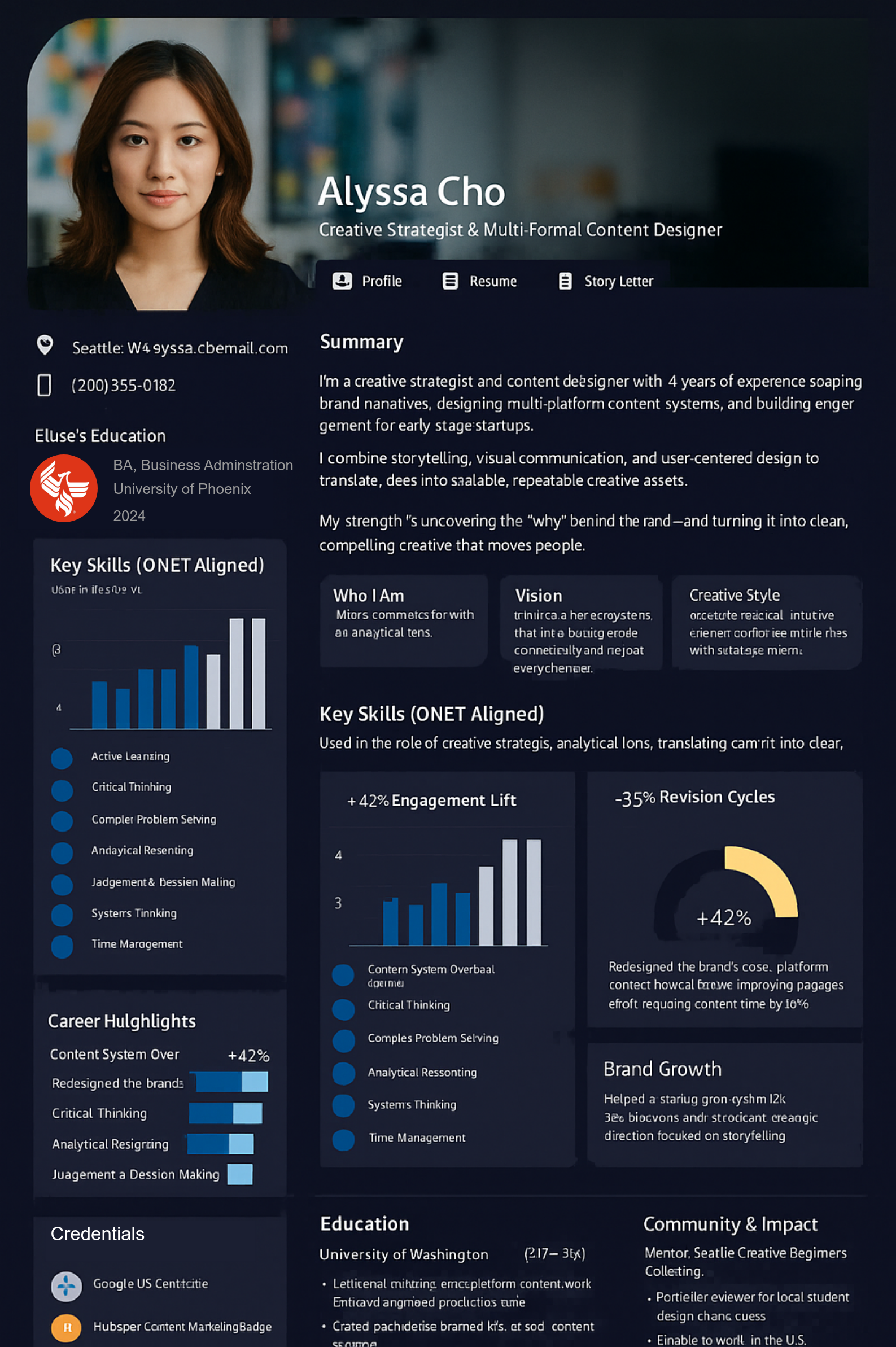
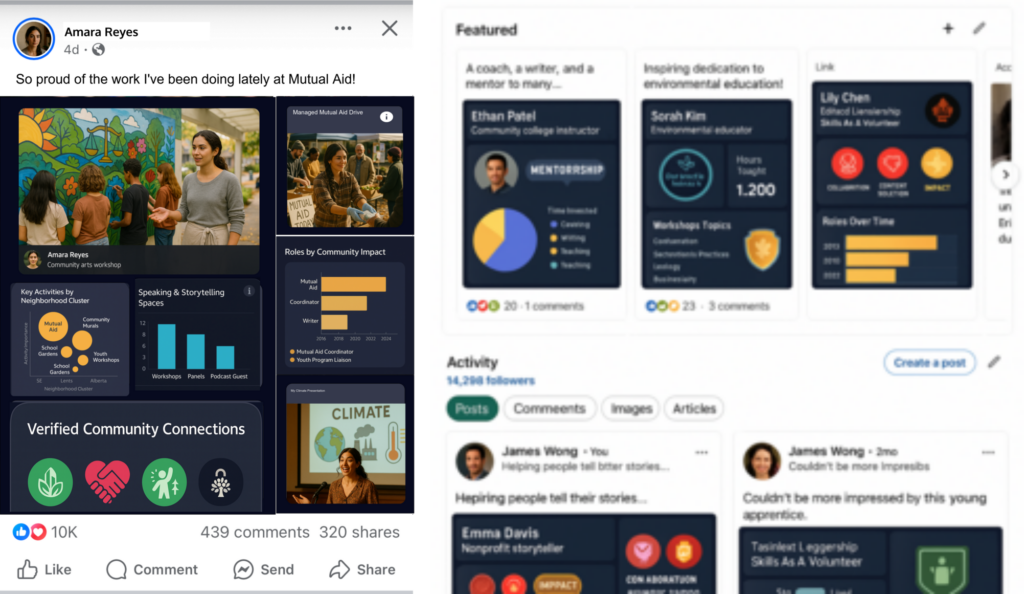
A TalentPass job application profile brings relevant experience and supporting evidence together so an employer can explore beyond your résumé.

  • Explain what you actually did.
  • Highlight skills through examples of using them.
  • Put accomplishments and credentials in context.
  • Show experience from work, education, projects, and volunteering.
  • Focus the profile on the opportunity you’re pursuing.

Share your profile with a link.

Include it wherever an application accepts a portfolio or website link, or share it directly in an email, message, or professional introduction.

Keep a résumé ready, too.

Export a résumé with a QR code that connects readers to your profile.

Build your story once. Adapt it for each opportunity.

1. Start with your experience.

Use your résumé or information from your LinkedIn profile as a starting point. Add relevant projects, learning, and accomplishments.

2. Talk it through with Pythia.

Answer questions about what you did and what you learned. Review the resulting descriptions, correct mistakes, and add details that matter.
3. Bring in the job description.

Use the role’s requirements to focus your profile on relevant experience. Explain the connections and be clear about areas you’re still developing.


4. Review and share.

Check the profile, choose what to include, and share it with your application or professional contacts. Keep building on it as you gain experience.

Make your experience count in your next move.

Changing careers?

Connect experience from your previous work to the responsibilities of the role you want. Use examples to explain how your skills could transfer.

Looking for your first role?

Bring forward projects, coursework, volunteering, and other responsibilities that demonstrate what you’ve practiced and learned.

Returning to work?

Bring earlier experience together with relevant learning and responsibilities from your time away. You decide which personal details to include.

Searching after a layoff?

Capture the work and accomplishments from your previous role, then focus your profile on what you want to pursue next.

Get help with your next application.

Explore practical guides to identifying transferable skills, tailoring your résumé, sharing your profile, and making professional connections.

A few things you might be wondering.

Does TalentPass replace my résumé?

You can use it alongside your résumé. Your profile gives employers more context, and the résumé export supports applications that still require a document.

Can I use it if I’m changing careers or have limited work experience?

Yes. You can draw on relevant experience from education, projects, volunteering, and other responsibilities, as well as paid work. Explain what you did and how it relates to the opportunity.

Does Pythia verify everything I tell it?

No. Pythia helps you describe and organize your experience. You review its output for accuracy. Records, credentials, work samples, and other supporting evidence can help substantiate particular claims.

Will TalentPass find me a job?

TalentPass helps you prepare and present your experience. It does not guarantee interviews or employment. Check Product Availability for the current status of job-matching and discovery features.

What can I use today?

Job application profiles are a current TalentPass use case. Visit Product Availability for the latest details about supported features and capabilities still in development.

Show the experience behind your résumé.

Bring your story together and build a profile for the work you want.